Community centres live on trust and footfall. Donnington Doorstep runs drop-ins, youth sessions, a community café, and more. Staff need to know who is in the building for safeguarding, fire safety, and day-to-day coordination, without turning every visitor into an IT support ticket.
Paper sign-in sheets and ad hoc WhatsApp messages age badly: they are easy to lose, hard to search, and painful when someone asks what happened last Tuesday. The goal was a single, accurate record that matched how people actually move through the door.
The problems we were solving
Friction at the door. If signing in takes too long or feels confusing, people skip it or rush, and the record is wrong when it matters.
Two worlds that must stay in sync. The person on the desk needs a live picture of occupancy. Behind the scenes, someone else needs history, exports, and settings, without giving every visitor an account or training.
Honest operations for a small charity. Enterprise visitor-management kits are built for corporate lobbies, not a community organisation that needs configurable visit types and sensible reporting on a tight budget.
What we built
A tablet-first sign-in and sign-out flow
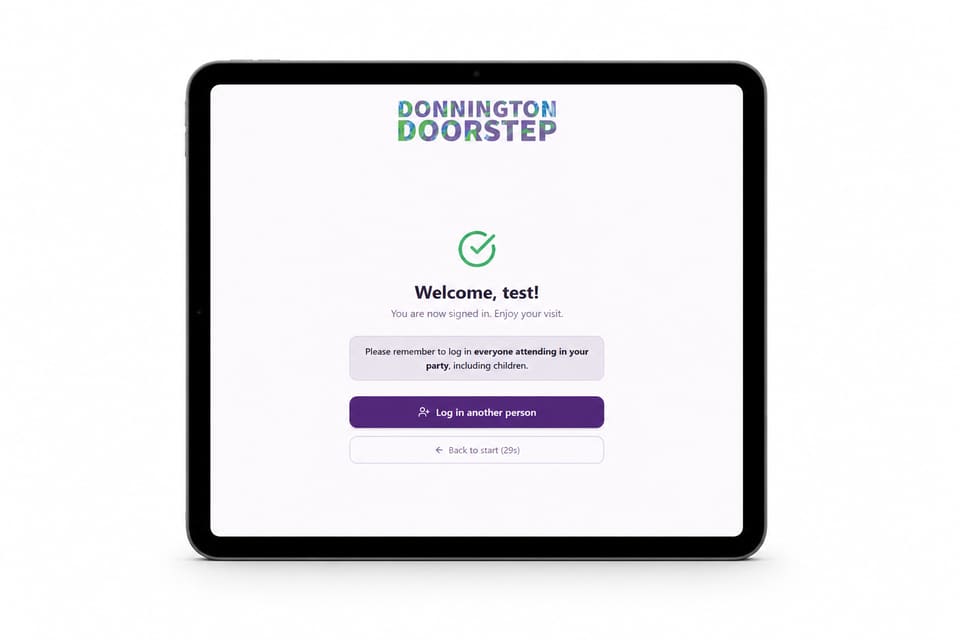
Visitors, staff, and volunteers use a large-touch, minimal-step flow: sign in with a name and visit type, see a clear confirmation, and sign out the same way when they leave. Visit types (drop-in, youth club, staff, volunteer, and so on) come from data the centre controls, so the list always matches how they describe their work, not a generic dropdown from a template.
The interface is tuned for a mounted tablet: big targets, obvious success states, reminders that work for families arriving in a group, and idle timeouts that gently return the screen to a clean start without trapping anyone mid-flow.
A staff-only admin portal on the same database
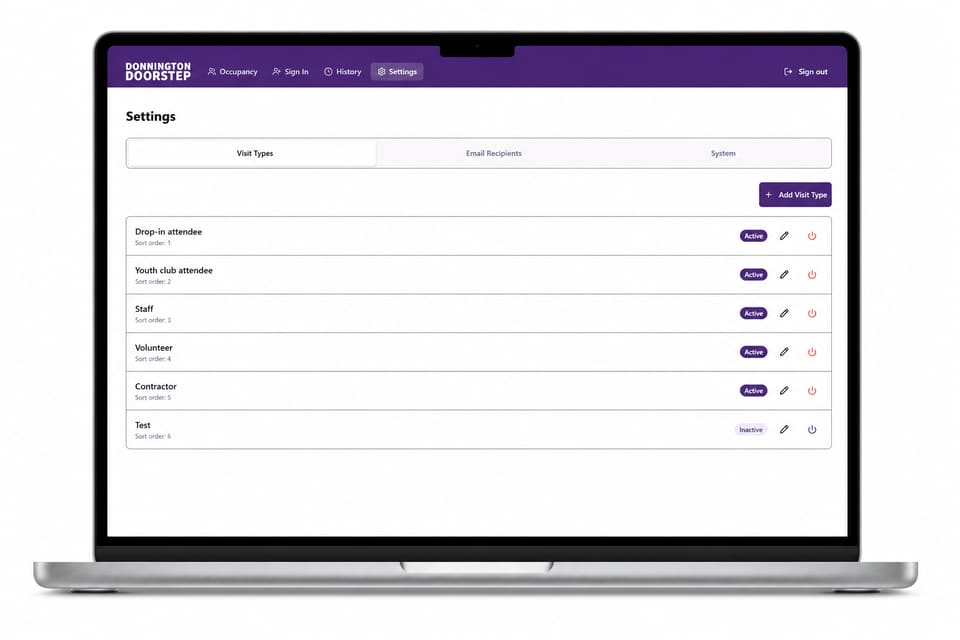
Behind Cloudflare Access, the team gets live occupancy (who is signed in right now), manual sign-in for edge cases when the tablet is not the right tool, history with filters and pagination, and CSV export for reporting and partner systems. Settings cover visit types (labels, sort order, active or hidden without losing history), email recipients, and toggles for optional automation such as midnight auto sign-out and daily email summaries, so the charity can adopt stricter hygiene when it is ready, without changing platform.
Everything reads and writes through the same Worker API and D1 database as the tablet. There is one source of truth for attendance: no duplicate spreadsheets, no “which system was right?” moments after an incident.
Why this matters if you run a community-facing organisation
If you are responsible for a building where the public comes and goes, you already carry duty-of-care whether or not you use the word “compliance.” A lightweight custom system can match your programmes and language, stay fast on cheap hardware, and give you exports your trustees or funders can follow, without paying for a platform that was designed for a tower block in a different city.
This project is proof that front-of-house and back-office do not need to be two products: they need to be two interfaces on one honest data model, with the right boundary between open to everyone and staff only.